Folk Dance Player

For the person who runs the evening

Run the whole evening, not just the playlist.

Build tonight's program, play it with teaching stops, and show your dancers what's playing and what's next, with the dance's slide, on a big screen.

Download for Mac

Free. macOS 12 or later, Apple silicon or Intel.

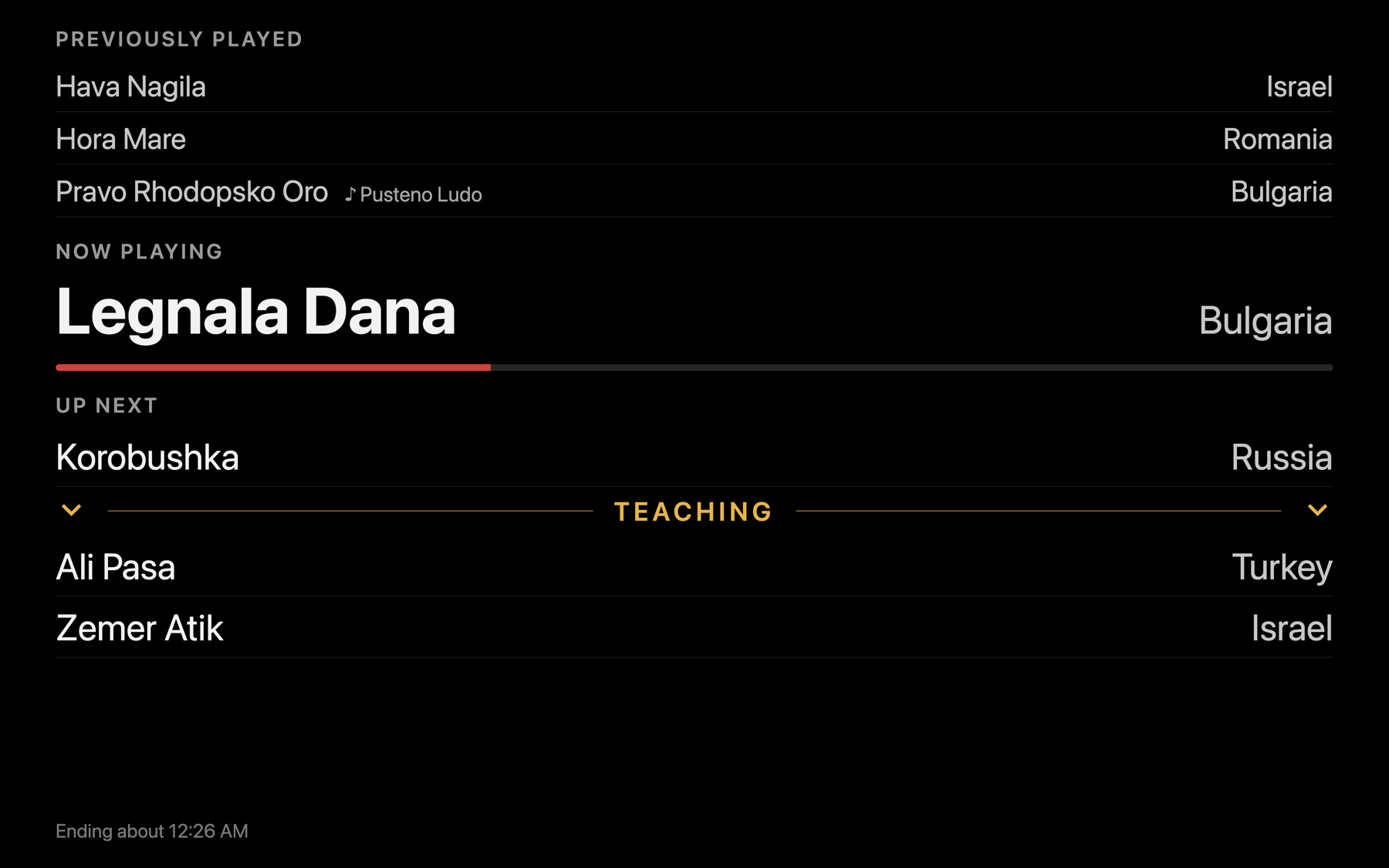
The projector view: previously played, the dance now playing with a progress bar, and what is up next, in large type on black

Beyond Apple Music

Apple Music is great at songs. Folk dance evenings are made of dances. Folk Dance Player keeps your Music library and adds the rest.

Build the program, not a queue

Drag dances into the order you'll teach and dance them. Add STOP markers where you'll pause to teach. Auto-continue with a countdown carries the evening between them, and a media remote handles play, pause and next. See when the program will end, and save it afterward with what was actually played.

Teach at the right speed

Slow a song down to walk through the figures, without changing its pitch. Stop to re-teach a step and press play to carry on as the same dance. Double-click any song to preview it without disturbing the program.

The player bar playing a song at 0.8 times speed, with the transport buttons, speed and volume sliders, and the progress bar

A projector view dancers can read

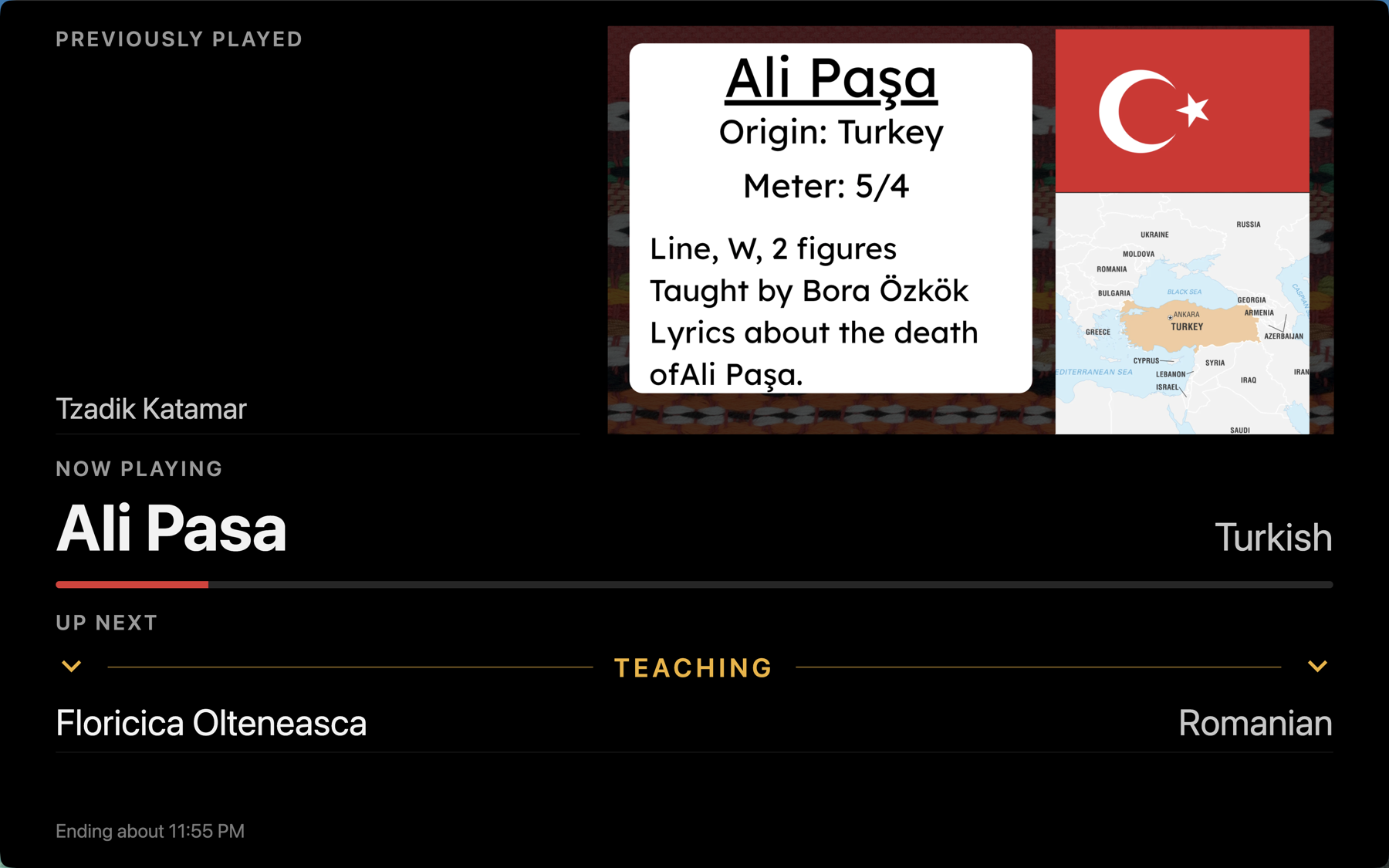
A borderless, large-type display for a second screen or projector: what was played, what's playing, what's coming up, and each dance's Canva slide or your own image. Slides are saved for use offline, so a dead Wi-Fi hall doesn't stop the show. With no projector, the same view can cover your laptop.

The projector view with a Canva slide for the dance now playing: its origin, meter and teacher, a flag and a map, with the previously played and up next lists beneath

Dances and songs, kept apart

One tune can carry several dances, and one dance can be done to many tunes. Record each dance's country, choreographer, difficulty, notes and PDF, plus who taught it to your group. Search by song, dance, teacher, choreographer or country, and accents don't get in the way: "pasa" finds "Paşa".

Your Apple Music library, kept in step

Switch on sync and the app reads your Music library directly: songs, tags and playlists stay current as you add music. Or import files, folders or a Library.xml. Nothing you add here (dances, programs, notes, slides) is ever lost.

The top of the Music page with Sync with Apple Music switched on: when it last synced, with Details and Sync now buttons

Inspired by MITPlayer

For years, many folk dance organizers ran their evenings on MITPlayer. It showed how a player for dancing should work: a running order, teaching stops, a display the room can see. Folk Dance Player carries those ideas forward on a current Mac, with a library built around dances, Canva slides, Apple Music sync and a guided tour for new users. Thank you to everyone who built and shared MITPlayer.

Download Folk Dance Player

Download for Mac

  1. Open the downloaded .dmg.
  2. Drag Folk Dance Player to Applications.
  3. Open it. The app offers a short guided tour on a practice library, so nothing of yours is touched.

All releases and notes · Source on GitHub
